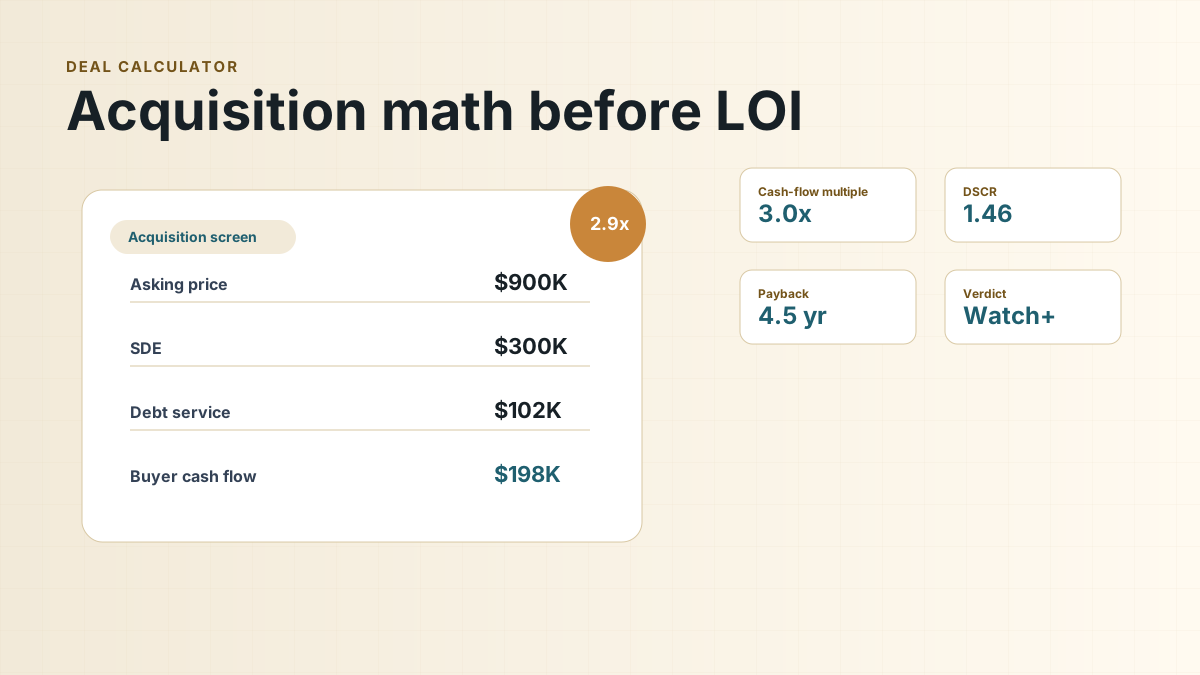
A business acquisition calculator is not a magic approval button. It is a pressure test. Before you send a lender a package, sign an LOI, or start negotiating with a seller, the calculator should help you answer one plain-English question: does this business appear to produce enough transferable cash flow to support the price and structure you are considering?
That distinction matters because many listings lead with seller discretionary earnings, or SDE, as if it were the buyer's future take-home cash. It is not. SDE is a starting point for normalized owner benefit. A buyer still has to pay debt service, keep working capital in the business, handle transition mistakes, replace seller-specific labor, and often pay themselves a salary.
The goal of the first screen is not to prove the deal is good. The goal is to find out whether the numbers are strong enough to justify deeper lender, accounting, legal, and operational diligence.
Keep two views: business repayment capacity and buyer affordability. The first tests business cash flow against debt; the second tests personal living needs, outside income, household debt and cash remaining after closing.
What a calculator can and cannot prove
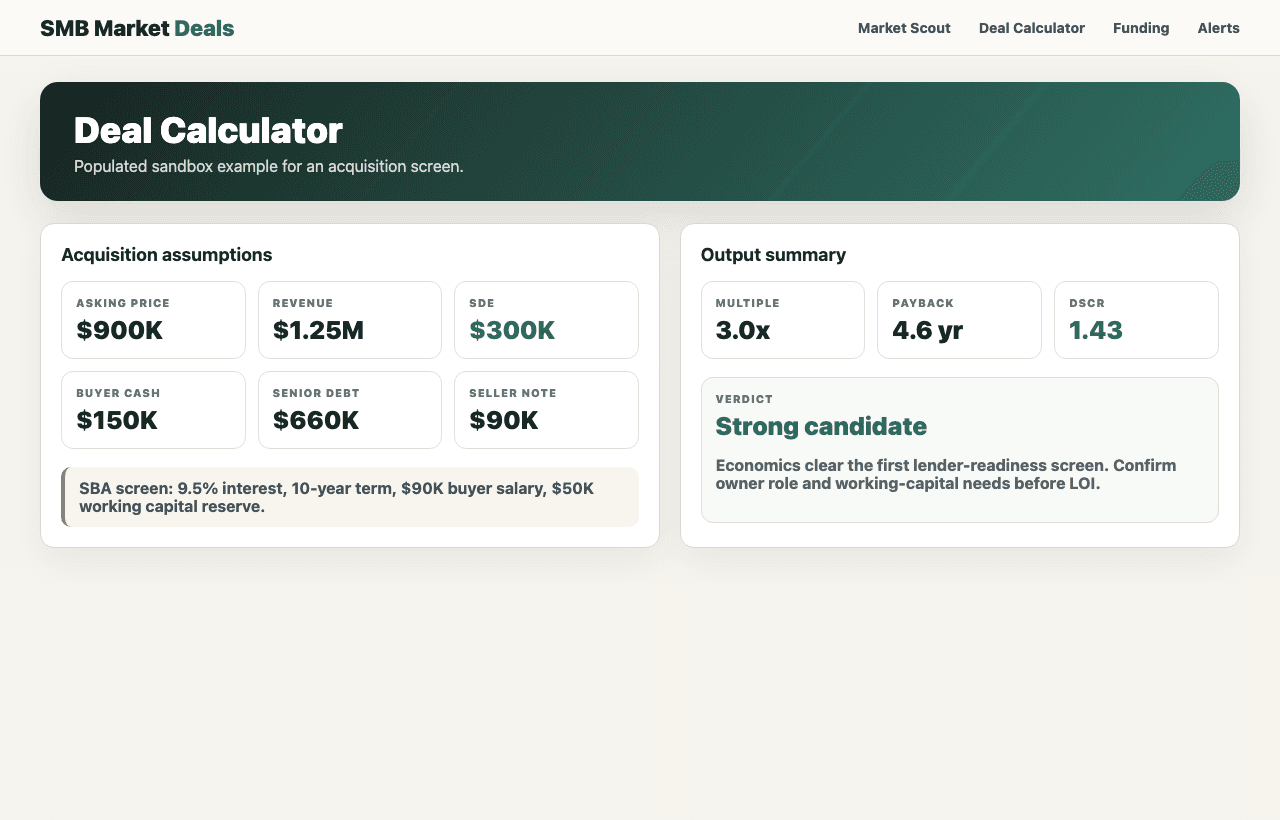
A good calculator can show whether the asking price, estimated cash down, loan amount, seller financing, buyer salary, and annual debt service fit together. It can also expose when a business that looks affordable is actually fragile after reserves and transition costs.
It cannot verify add-backs, confirm tax returns, judge customer concentration, inspect equipment, predict employee retention, or tell you whether the seller will train you well. It also cannot make a lending decision. SBA 7(a) loans can be used for changes of ownership and working capital, but the lender still underwrites the borrower, business, collateral, industry, valuation, and repayment capacity.
The inputs that matter before a lender call
Most weak deal screens fail because the buyer enters too few numbers. Asking price and SDE are not enough. For a first lender-read, you want the calculator to hold the entire proposed structure in one place.
Also calculate break-even revenue, downside coverage, payments at a higher rate, paying seller debt and cash after immediate capex. Where a tool does not expose a separate scenario, keep a companion schedule using the same inputs.
Start with purchase price, normalized SDE, annual revenue, cash down, estimated senior debt, seller note amount, interest rate, term, and whether the seller note is paid monthly, deferred, or on standby. Then add working capital, closing costs, immediate repairs, buyer salary, and a transition-risk cushion.
If the seller says the business has $300,000 of SDE, ask how much of that is supported by tax returns, payroll records, bank statements, and add-back detail. If the listing includes personal expenses, one-time costs, or owner salary adjustments, mark each one as verified, questionable, or unsupported. A calculator is only as useful as the discipline behind the inputs.
Before you trust the output, label the inputs:
- Verified: supported by tax returns, bank records, payroll reports, contracts, or invoices.
- Plausible but unverified: reasonable, but still dependent on seller explanations or broker summaries.
- Unsupported: important to the deal math, but not yet backed by documents.
A simple deal screen example
The figure and table below are not valuation rules. They show how quickly acquisition math changes when the buyer accounts for salary, working capital, and debt service. The example assumes the buyer is screening a service business before deciding whether to call lenders.
How the screen moves from listing math to buyer math — the same SDE can tell a very different story after the buyer adds the financing stack and operating cushion:
How the screen moves from listing math to buyer math
The same SDE can tell a very different story after the buyer adds the financing stack and operating cushion.
- Listing SDE$300kSeller-presented cash-flow proxy before buyer adjustments.
- Buyer withdrawal−$90kOwner-operator income needed after closing.
- Senior debt service−$102.5kIllustrative annual payment on senior acquisition debt.
- Pre-tax cushion$107.5kBefore taxes, seller-note payments, capex, and surprises.
Early acquisition screen: illustrative service business
This example uses simple assumptions to show how SDE turns into lender-readiness questions.
| Input or output | Example amount | Why it matters |
|---|---|---|
| Asking price | $900,000 | The headline price before financing structure, working capital, or diligence adjustments. |
| Seller discretionary earnings | $300,000 | Starting cash-flow proxy, subject to verification of add-backs and owner role. |
| Cash down from buyer | $150,000 | Buyer injection for the acquisition, separate from reserves. |
| Seller financing | $90,000 | A 10% seller note may improve alignment, but payment timing matters. |
| Estimated senior debt | $660,000 | Purchase price less buyer cash down and seller note in this simplified example. |
| Illustrative annual senior debt service | $102,483 | Estimated 10-year amortization at 9.5%; actual terms vary by lender and deal. |
| Buyer salary placeholder | $90,000 | The buyer still needs personal income unless outside income covers living costs. |
| Working capital and transition reserve | $50,000 | Cash needed for payroll timing, inventory, deposits, repairs, and surprises. |
| Cash flow after salary and senior debt service | $107,517 | A rough cushion before taxes, capex, seller-note payments, and unexpected issues. |
| Senior-debt DSCR before buyer salary | 2.93x | $300,000 SDE divided by senior debt service. Useful but incomplete. |
| Buyer affordability ratio after withdrawal | 2.05x | $210,000 after buyer salary divided by senior debt service. Separate buyer stress metric, not the lender's DSCR. |
Business coverage and household affordability answer different questions. Dividing accepted business cash flow by debt service estimates repayment capacity; subtracting the buyer's personal withdrawals estimates remaining household and business cushion. The second ratio below is a buyer stress metric, not automatically the lender's DSCR definition.
Reproduce the payment and stress the deal
The monthly amortization formula is P x r / (1 - (1 + r)^(-n)), where P is principal, r is monthly interest and n is the number of payments. With P = $660,000, r = 9.5% / 12 and n = 120, monthly debt service is $8,540.24 and annual service is $102,482.87. Displayed annual values are rounded; ratios use unrounded payments.
Sensitivity from the same $660,000 senior balance
| Scenario | Accepted cash flow | Annual senior payments | Senior-only coverage |
|---|---|---|---|
| Base: 9.5%, 10 years | $300,000 | $102,483 | 2.93x |
| Cash flow falls 10% | $270,000 | $102,483 | 2.63x |
| Rate rises to 11.5% | $300,000 | $111,352 | 2.69x |
For a revenue stress, specify cost behavior. If revenue is $1 million, variable costs are 40% and fixed operating costs are $300,000, cash flow is $300,000. A 10% revenue decline reduces contribution by $60,000 and cash flow to $240,000: coverage becomes 2.34x. Holding those costs constant, break-even revenue after senior payments is ($300,000 + $102,482.87) / 60% = about $670,805 before household withdrawals and tax.
If the $90,000 seller note pays at 6% over five years, it adds $20,879 annual payments. Combined coverage becomes 2.43x; after a $90,000 personal withdrawal, remaining cash is $86,638 before taxes and capital needs. Show this alongside the senior-only output.
How to read debt service and DSCR
Debt service is the scheduled principal and interest the business must pay on borrowed money. Debt service coverage ratio, or DSCR, compares available cash flow to that required payment. A simple version is cash flow available for debt service divided by annual debt service.
At $300,000 of accepted operating cash flow and $102,483 of annual senior debt service, senior-only coverage is 2.93x. After a $90,000 household withdrawal, the buyer cushion is $107,517 before seller-note payments, taxes, capital spending and working-capital changes. The ratio of the remaining $210,000 to senior payments is 2.05x, a separate buyer affordability screen.
This is why calculator output is only an early screen. It tells you whether the structure deserves more work. It does not tell you whether the lender will accept the add-backs, whether the valuation supports the price, or whether the business can survive a rocky first 180 days.
Separate business repayment from household affordability. If the buyer performs the departing owner's job, one owner's compensation may be an accepted add-back; a separate manager or technician still needs market-rate pay. Test the buyer's living costs, outside income and personal debts separately through global cash flow. Do not deduct the same compensation twice.
Seller financing and working capital
Seller financing can reduce senior debt or defer some cash outflow. It reduces the required buyer injection only when the applicable rules and lender accept its equity treatment. Otherwise it remains debt: model its actual payments and the obligation that remains after a deferral.
Working capital is just as important and easier to ignore. A buyer may need cash for inventory, payroll timing, rent deposits, insurance, repairs, software changes, slow collections, or a revenue dip after the seller leaves. If all available cash goes into the down payment, the business can be undercapitalized on day one.
When you model a deal, keep three buckets separate: buyer cash invested in the purchase, lender-required reserves or liquidity, and operating cash that stays in the company. Treating them as one pile makes weak deals look stronger than they are.
Transition risk and buyer salary
Many small businesses are still owner-dependent. The seller may handle sales calls, key accounts, scheduling, bookkeeping, vendor relationships, hiring, pricing, or emergency work. If the seller's role is not replaced, SDE can drop after closing even when revenue looks stable.
A buyer salary is part of that same reality. If you plan to operate the business full time, the business has to support your living needs or you need another documented source of income. A deal that clears debt service only because the buyer takes no salary may be a poor fit for a self-funded buyer.
Before calling a lender, write down the transition jobs that must be covered in the first year: customer handoff, employee retention, bookkeeping cleanup, supplier introductions, license transfers, lease assignment, training period, and any equipment or systems catch-up. The calculator should leave enough margin for that messy work.
When the output is lender-ready
A calculator output becomes useful for a lender conversation when it is paired with evidence. At minimum, be ready to explain the asking price, last three years of revenue and SDE, add-backs, buyer cash down, proposed seller financing, working capital plan, buyer background, transition plan, and why the local market supports the business after closing.
Give a lender your sources and uses, supported financials, buyer liquidity, proposed seller note and transition plan. Current SOP 50 10 governs the underwriting package. An experienced acquisition lender can help identify a financeable structure early; bring evidence for each important input.
What to do next
Use the calculator to decide whether the deal deserves more time. If the screen is weak, change one assumption at a time: lower the price, increase seller financing, defer seller-note payments, increase cash down, reduce buyer salary only if realistic, or walk away. If the screen is strong, your next step is to verify the numbers rather than celebrate the output.
For first-time buyers, the best use of a business acquisition calculator is discipline. It slows the emotional pull of a good listing and turns the conversation into specific questions: What SDE is verified? How much cash stays in the business? What debt service can the company actually carry? What happens if revenue dips during transition? What would a lender need to see before taking this seriously?
Save the base case and test a revenue decline, a higher interest rate, immediate seller-note payments and required capex. If a modest stress breaks coverage or liquidity, change the price or structure before making a nonrefundable commitment.
Frequently asked questions
Does the calculator approve the deal?
No. It tests assumptions. The lender still decides which cash flow, costs, collateral and financing terms it will accept.
Should I deduct buyer salary from SDE?
Distinguish required replacement payroll from the owner-operator's personal withdrawals. Review business repayment and household affordability separately, with no duplicate deductions.
For acquisition financing requirements and the October 1, 2026 rule change, read our SBA loan guide.